RokDoc 2026.3 Reservoir Characterisation - Inversion Sensitivity and Large-Scale Efficiency
RokDoc 2026.4 brings a set of changes to reservoir characterisation work that share a common thread: reducing the number of times you have to redo the same thing in a different place. Horizon and map display settings now stay consistent across every viewer you look at them in. Coloured inversion gains more control over what feeds the seismic side of a display. Here's what's new and how to work with it.
Coloured Inversion: More Control Over Seismic Data Selection
Coloured inversion in RokDoc 2D and RokDoc 3D/4D now allows synthetic quantities to be selected as the seismic data, alongside the existing option to use real seismic. The seismic data selector has also been widened to accept quantities with log type Intercept or Gradient, in addition to Trace, giving more flexibility in what can be fed into the coloured inversion calculation.
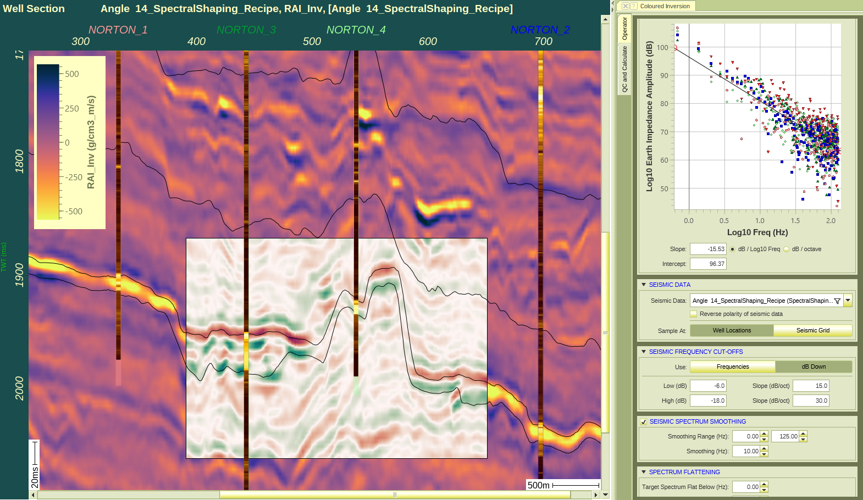
This continues a thread from the previous release, where the well-track display in coloured inversion moved from showing the relative result to the band-pass filtered absolute inverted log, making calibration at the well more directly comparable to what the inversion produces in the seismic-derived volume. Together, the two releases represent a sustained investment in how coloured inversion results are selected, displayed, and calibrated.
Spectra Attributes: Frequency-Domain QC Across the Viewer Framework
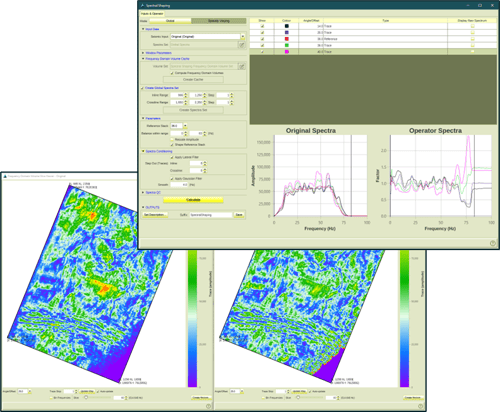
A new Spectra attribute type is available across RD2D, RD3D, RD4D, and Attrimod, displaying the per-trace frequency spectrum of a seismic quantity between two user-defined frequency bounds. It's created and managed the same way as any other attribute type, so spectral QC is now part of the standard attribute workflow rather than a separate analysis step.
A practical use for reservoir characterisation work: display the Spectra attribute at your target level and check whether the frequency character is spatially consistent. Where it varies in a way that correlates with structure or amplitude anomalies, that variation is a genuine piece of interpretation evidence, helping separate tuning effects from real impedance variation. Where it varies without an apparent geological cause, it's often a signal to check for a processing or acquisition artefact before interpretation proceeds.
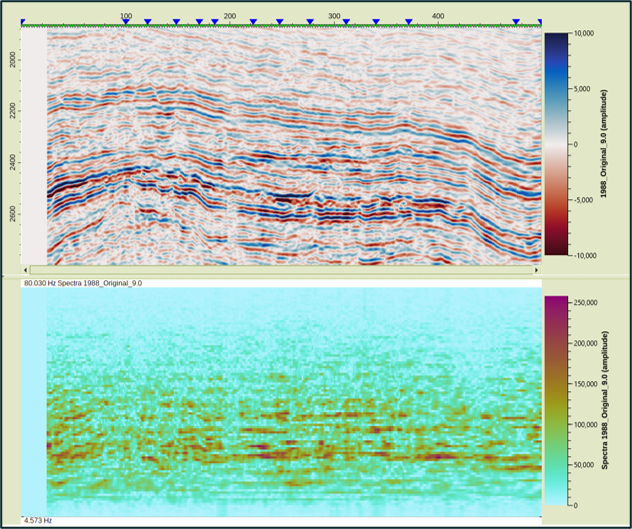
Alongside this, the colour bar display settings have been reworked. The "Show" checkbox now independently controls display of the currently shown quantity's colour bar, rather than being tied to quantity selection as a single combined control. One side effect worth knowing about: this same "Show" behaviour is what enables the colour bar in the attribute plot when a Spectra attribute is displayed, so the two features are worth trying together if you're working with both.
Consistent Horizon and Map Displays, Everywhere You Look at Them
Two related changes address a long-standing piece of friction in projects with many horizons or maps and many viewers. First, a new Bulk Edit Properties Dialog for horizons lets colour, line width, and colourbar be changed across multiple horizons in a single operation, instead of one horizon at a time.
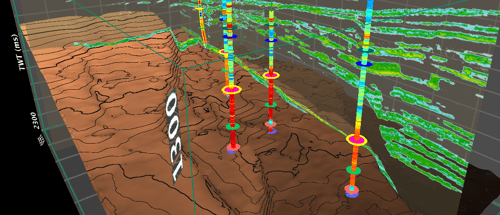
Second, and independently of whether an edit is made to one horizon or many, any change to a horizon or map's display settings now propagates immediately to every other viewer showing that same horizon or map, spanning seismic line viewers, the project map viewer, RokDoc 2D and 3D sessions, the RokDoc 3D map viewer, and Scene 3D. A per-viewer override is still available where a one-off, viewer-specific display is genuinely needed, and a new "Make Default" option, for example in the RokDoc 3D map viewer's colourbar right-click menu, writes that per-viewer setting back to the horizon's stored settings so it becomes the new baseline everywhere.
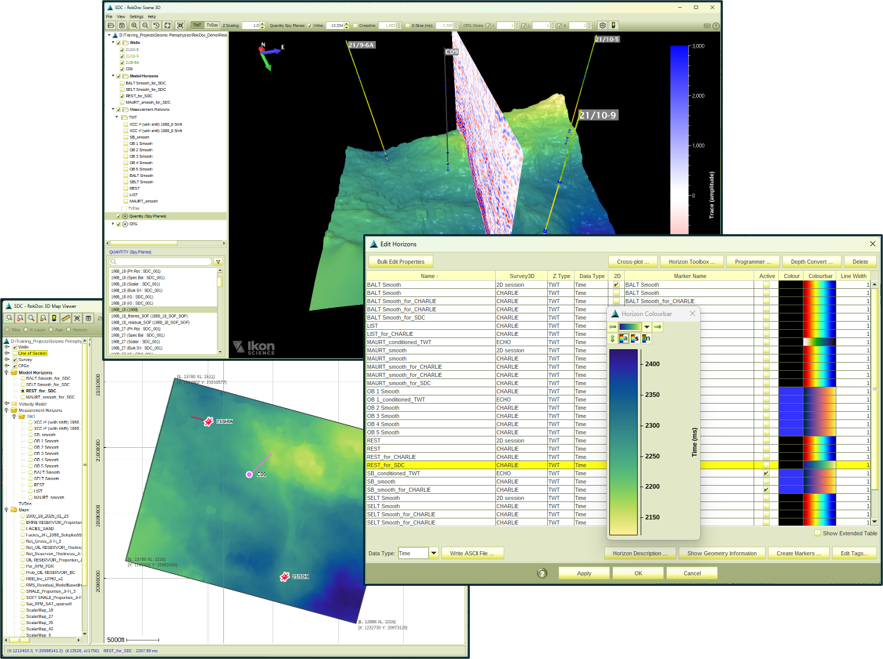
Taken together, these mean restyling a horizon for a review pack, or adjusting a colourbar mid-interpretation, now takes one action instead of one action per viewer.
Faster Simultaneous Inversion
Simultaneous inversion calculations have been improved for both interactive work and exports, through better multi-threading behaviour. The gain is most apparent on large datasets exported across many processors simultaneously, which is where there was most to gain.
If there's a topic from this release you'd like covered in more depth, a Spectra attribute walkthrough for a specific processing QC scenario, or a closer look at the new horizon display propagation behaviour, let us know in the comments or get in touch directly.
We look forward to continuing to hear your feedback for future RokDoc releases.

Alan Mur has a PhD in Geology with specialization in Geophysics from the University of Pittsburgh and has over a decade of work experience in geology, rock physics, and geophysics. As Product Manager for Quantitative Interpretation (QI) Applications at Ikon Science, he manages all applications related to QI geophysics at Ikon and directs the software development team to evolve Ikon’s software offerings with consideration for the needs of the industry.