Rock Physics in RokDoc 2026.3: Enhanced Analysis, Fast Workflows, Platform-Wide Improvements
RokDoc 2026.4 gives rock physics work more room to match the lithology in front of you rather than the lithology a model was originally built around. The two largest changes both loosen a constraint that shows up constantly in calibration work: mineral mixing that assumed at most two end-members, and crossplot layouts that assumed one working interval and one cutoff set per session. A smaller but useful pair of changes, in wavelet estimation windowing and log type recognition, rounds out the release.
Multi-Mineral RPM Mixer
Rock physics models with a mineral variable have historically mixed a Principal and Complement mineral, using a given volume of the principal to generate the mixed K, Mu, and Rho values passed to the model. That constant, two-component approach remains available and unchanged.
A new Multi-mineral option sits alongside it. Here, the mineral variable is defined by a Matrix of between one and six minerals, each contributing a user-defined fraction of the overall Matrix, with a selectable mixing method. The Matrix can optionally be mixed further with a Secondary mineral, again with its own fraction and its own mixing method, which can differ from the method used for the Matrix itself.
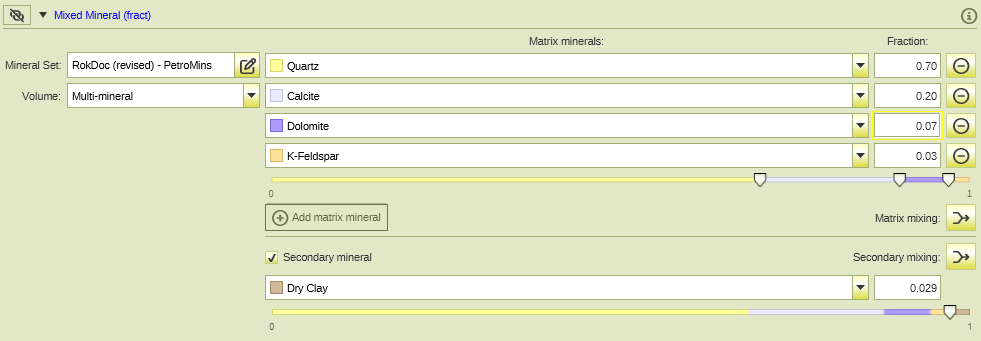
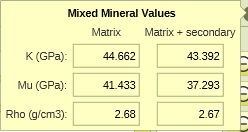
Instant feedback is given on the mineral mix:
Multi-mineral variables work inside both RPM Forward and RPM Reverse Modelling in the same way a Constant mineral does: the full Multi-mineral definition and its settings appear in the Input Variables panel (forward) or Model Parameters panel (reverse), and any adjustment can be made there before running. One constraint worth knowing before you set up a workflow around this: a Multi-mineral cannot currently be selected as an Output Parameter in reverse modelling. If the goal is to solve for mineral volume fractions, the mineral variable needs to stay in Constant mode for that specific run.
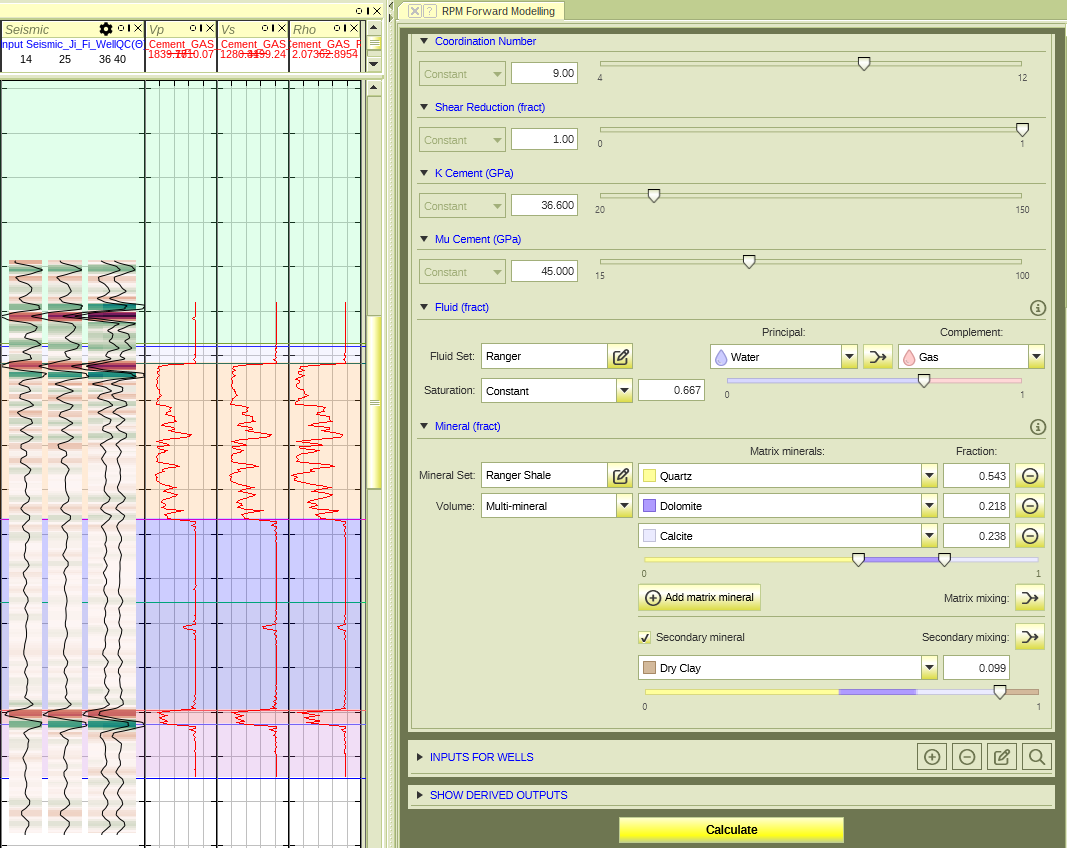
For calibration work in a lithology with more than two significant mineral components, this removes a real limitation. Where a two-mineral approximation was previously acceptable as a simplification, it no longer needs to be one.
Crossplot Enhancements: Complete Multi-Facies Layouts in a Single Session
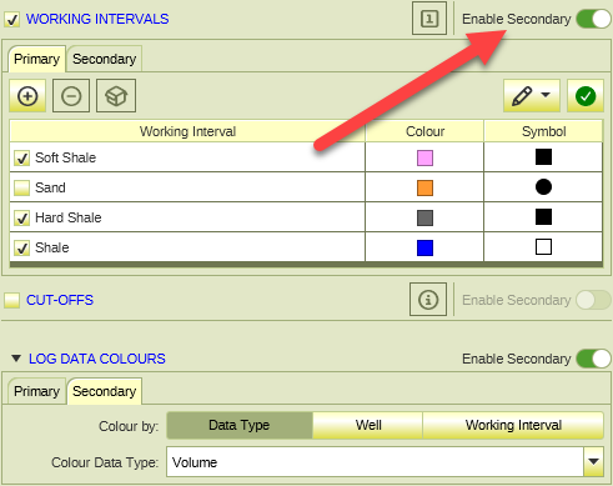
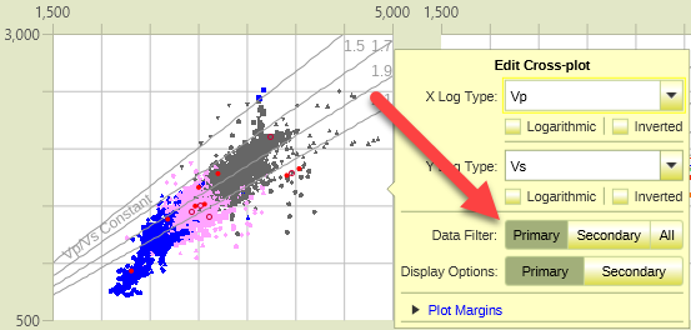
Working intervals and cutoffs can now be configured as primary and secondary sets. An Enable Secondary toggle has been added to both the Working Intervals and Cut-offs sections of the control panel, and enabling either one, though only one can be active at a time, adds Primary and Secondary tabs to that section. From the edit popover on each plot, you then choose which filter that plot follows, being Primary, Secondary, or All, where All shows any data passing either filter.
Separately, and just as importantly, individual rock physics models can now be switched off per plot. Right-clicking in a plot offers a new Toggle Individual RPMs option, which opens a checklist of the models available to that plot, organised by template. The list shows only models that are relevant given that plot's log types and whose template and model Use flags are enabled, and toggling affects only the plot you launched it from. Those selections persist in saved views.
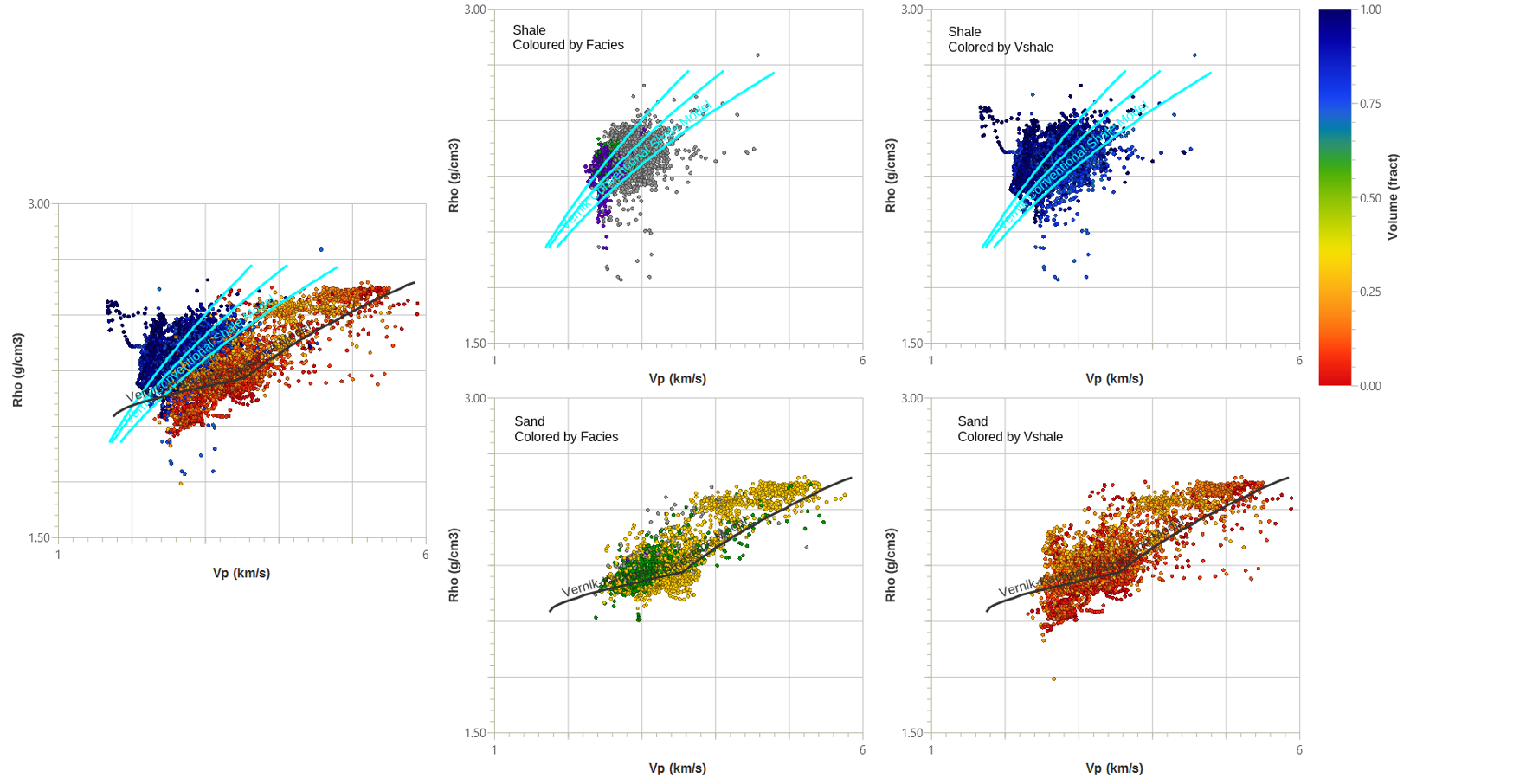
Now you build it once. Sand and shale side by side, and overlain, each plot carrying only the models that belong on it, then point the whole layout at the next well or the next interval and read it immediately. The setup cost is paid a single time and amortised across every well in the field.
A couple of related changes make this more usable day to day. The legend has been simplified: each layout can now contain at most one legend element, which automatically shows all relevant Wells, Working Intervals, and Discrete Data sections based on what the layout actually displays, so there's no longer a need to place a separate legend per facies or per display mode. Layout templates are also now unit-independent, meaning manual axis ranges and similar values are stored in SI units and converted automatically to a project's display units on load, which makes a saved template genuinely portable across projects that use different unit conventions. Templates saved before this release will load as-is, with a warning, and can be resaved from 2026.4 to pick up the new behaviour.
A practical starting point for multi-facies work: define your working intervals and cutoffs for each facies of interest, assign them to separate sub-plots in a single layout, and use the toggle for individual RPMs to declutter each sub-plot down to only the models relevant to that facies.
It's a faster way to build a defensible, side-by-side facies comparison than switching between sessions.
Litho-Facies Classification: Modernised Interface, Multi-Interval Calculation
The Litho-Facies Classification function, found under Multi-Well Ops, Classification, has been rewritten with a modernised interface. All previously available functionality is retained, and the function can now run across multiple working intervals in a single calculation, each with its own classification criteria, removing the need to run the function once per interval. The cut-off criteria table has also been reworked to be clearer and more consistent to edit.
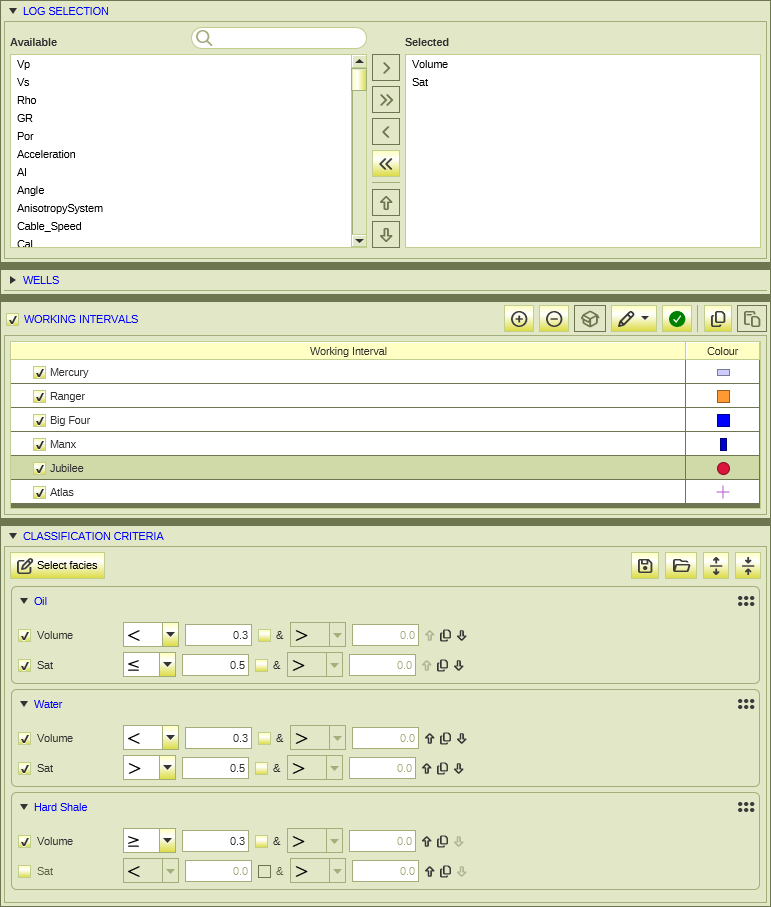
Bayesian Classification's handling of null and undefined facies has been aligned to the same approach used here: null is returned for depths that were never evaluated, outside the selected working intervals, while zero (undefined) is returned only for depths that were evaluated but couldn't be classified into any facies. That distinction matters when auditing classification results, since a null and an undefined facies now mean genuinely different things rather than being conflated.
Multi-Well Wavelet Estimation: Linking the Seismic and Log Window
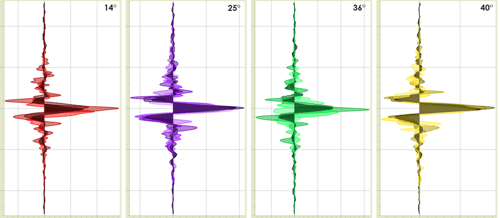
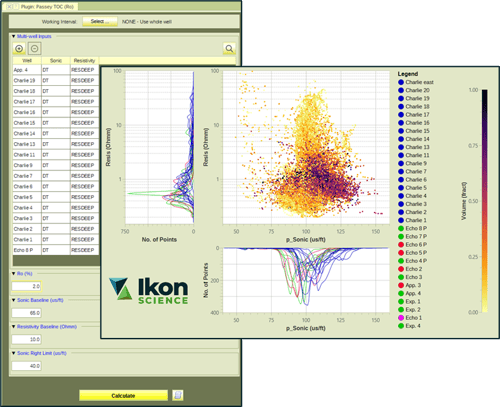
In Multi-Well Wavelet Estimation using Parametric Constant Phase, the Seismic Start and Stop times in the parameters tab can now be linked directly to the Log's seismic Start and Stop times. This is a small change, but it removes a repetitive manual step: setting the seismic window to closely match the log window is now a link rather than a pair of values to keep in sync by hand across every well in a multi-well estimation.
Enhanced Log Type Recognition
This one sits partly outside Rock Physics proper, but it affects the quality of every dataset a rock physics workflow starts from. Log type recognition from curve names has been substantially improved, particularly for compound names using dots, hyphens, colons, case changes, or run numbers, so curves that previously came in as Unknown are now typed correctly more often. For LAS files specifically, curve units and description text are now used as corroborating or tie-breaking evidence: a name-suggested type is rejected if the units contradict it, and a unit that's unique to one log type can identify it even when the name gives no clue.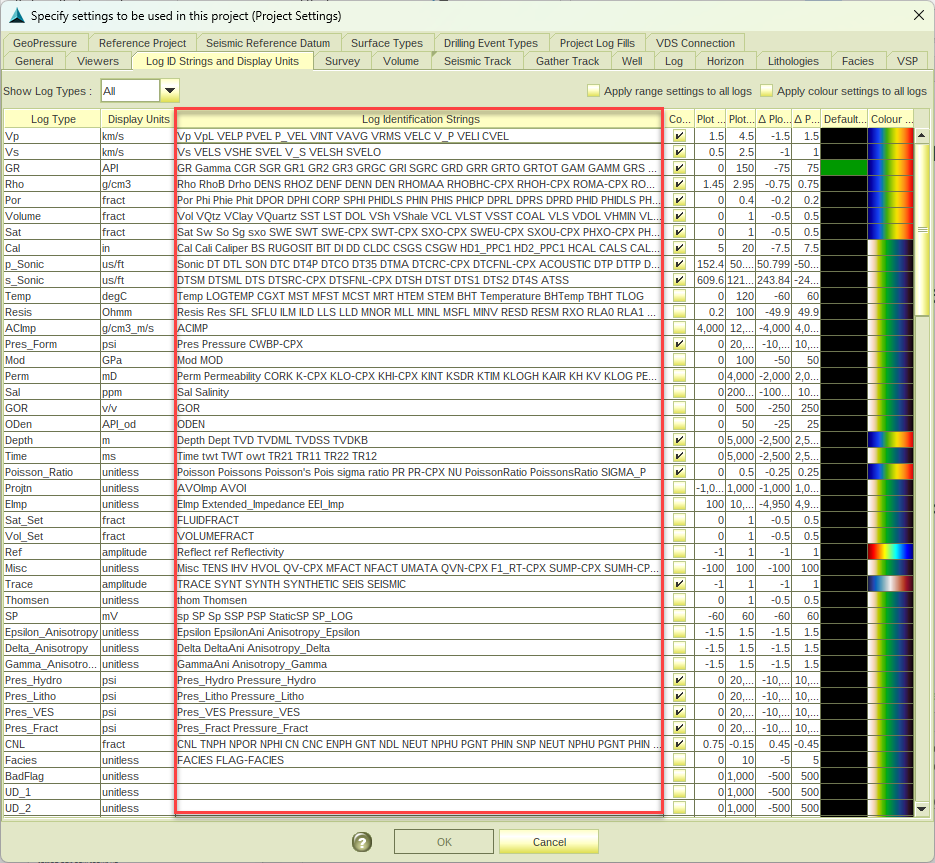
For rock physics work, this mostly shows up as less manual correction at import, which matters most on datasets pulled together from multiple sources or vintages where naming conventions were never fully consistent.
What would you like to go deeper on?
A couple of these would make good candidates for a deeper how-to post: a worked multi-mineral calibration example across a real lithology, or a step-by-step on building a multi-facies crossplot layout from scratch. If there's a topic here, or from your own project work, you'd like covered in more detail, let us know in the comments or get in touch directly.
We look forward to continuing to hear your feedback for future RokDoc releases.

Alan Mur has a PhD in Geology with specialization in Geophysics from the University of Pittsburgh and has over a decade of work experience in geology, rock physics, and geophysics. As Product Manager for Quantitative Interpretation (QI) Applications at Ikon Science, he manages all applications related to QI geophysics at Ikon and directs the software development team to evolve Ikon’s software offerings with consideration for the needs of the industry.