
Pressure Suite 2026.3: The Sequel – Refining Pressure Workflows
Pressure prediction doesn't need reinventing. It needs the friction taken out of it, one workflow at a time. This release takes a real run at that, touching digitising, session usability, and export in one pass.
Digitise the Way You Actually Think About Pressure
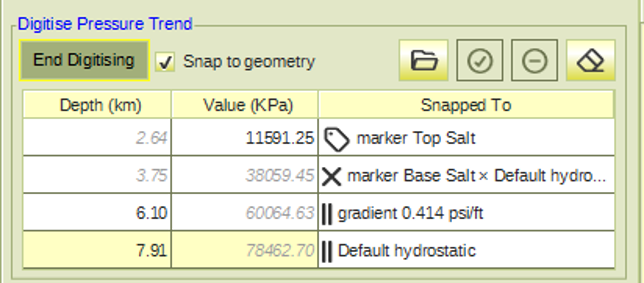
Digitising a line has been extended well beyond a single fixed space. Lines can now be digitised directly in average-gradient space and equivalent-mudweight space, in addition to standard pressure-depth space, and snapping now works against all trends, markers, and gradients, including their intersections and parallel constraints, not just the geometry you happen to be looking at. When a line is set to auto-refresh, an edit to it, moving a point, adding one, or editing a linked marker or trend, now fires the downstream trend and log calculations automatically, so the output stays current without a manual nudge. The one thing still requiring a trip back to its original session is a gradient; move or rotate it there, and it will still propagate forward through the auto-refresh chain.
Reorder What You See, Show What Matters
A new Display Options tab puts the draw order of everything in PressureView under your control. Drag panels to reorder item types, drag entries within a type to reorder those, and toggle a Show checkbox to hide what you don't need in view right now. It sounds like a small thing until you're the one who's spent time fighting a cluttered plot to find the one gradient that matters, and once you set that order, it's preserved when the session is closed and reopened.
Export, On Your Terms
A new Export tab lets pressure point and gradient data leave PressureView as Excel, with the fields you want, in the order you want them. Points and gradients export as separate outputs, so you're not left untangling the two afterward, and only what's currently displayed in the session goes out, meaning hiding something in Display Options doubles as an export filter. Set it up once, save it as a template default, and every future session starts from your preferred layout instead of a blank slate.
One Template System, Built to Scale
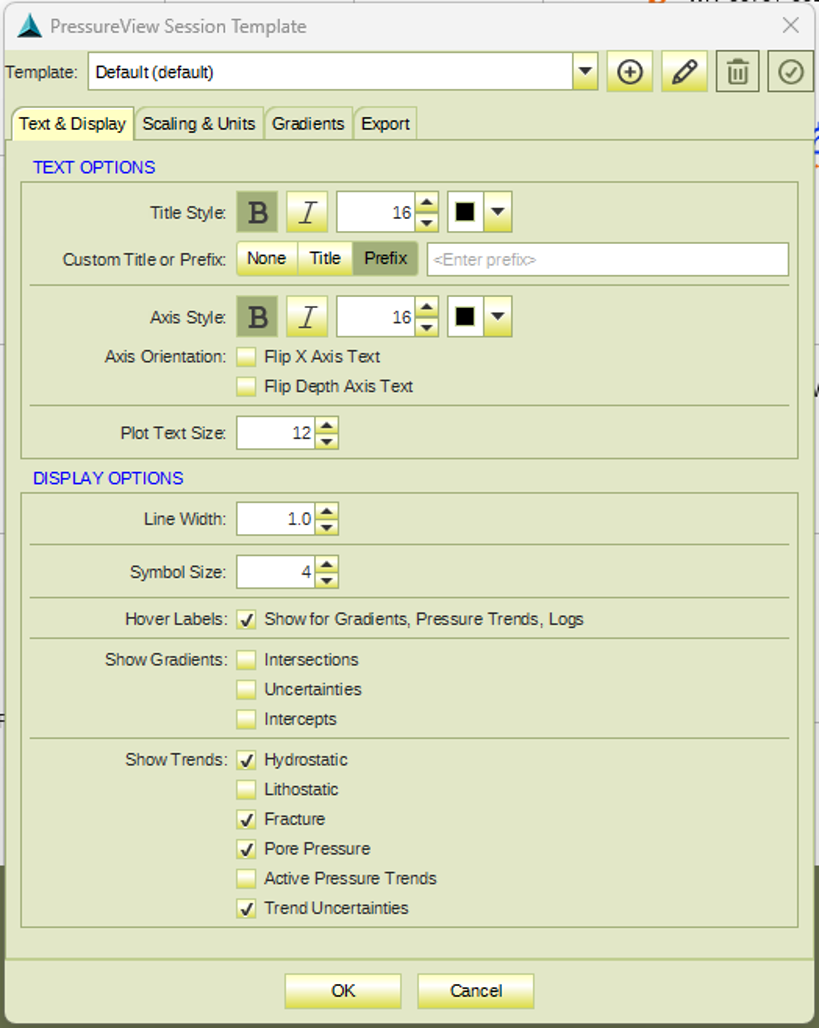
Speaking of templates: the PressureView template dialog has been redesigned around four tabs, Text & Display, Scaling and Units, Gradients, and Export, and now supports multiple named templates instead of a single one. Set a default at the project or global level, switch to a different template when starting a new session if the work calls for it, and adjust settings within the session afterward exactly as before.
If you've been maintaining one template that quietly serves three different kinds of projects, this is the release where you can stop doing that.
Taken together, none of this is a single dramatic change. It's PressureView getting easier to trust with more of the workflow, from the first gradient you load to the last file you export. If there's a corner of the Pressure Suite you'd like a closer look at, or a workflow you'd like walked through in more depth, let us know in the comments or get in touch directly.
We look forward to continuing to hear your feedback for future RokDoc releases.
